 English (U.S.)
No matching languages
Split · Encode · Nab · Decode
Share files with nearby devices
Send directly over Wi-Fi, or send offline using color codes, QR, or sound.
Download on theApp Store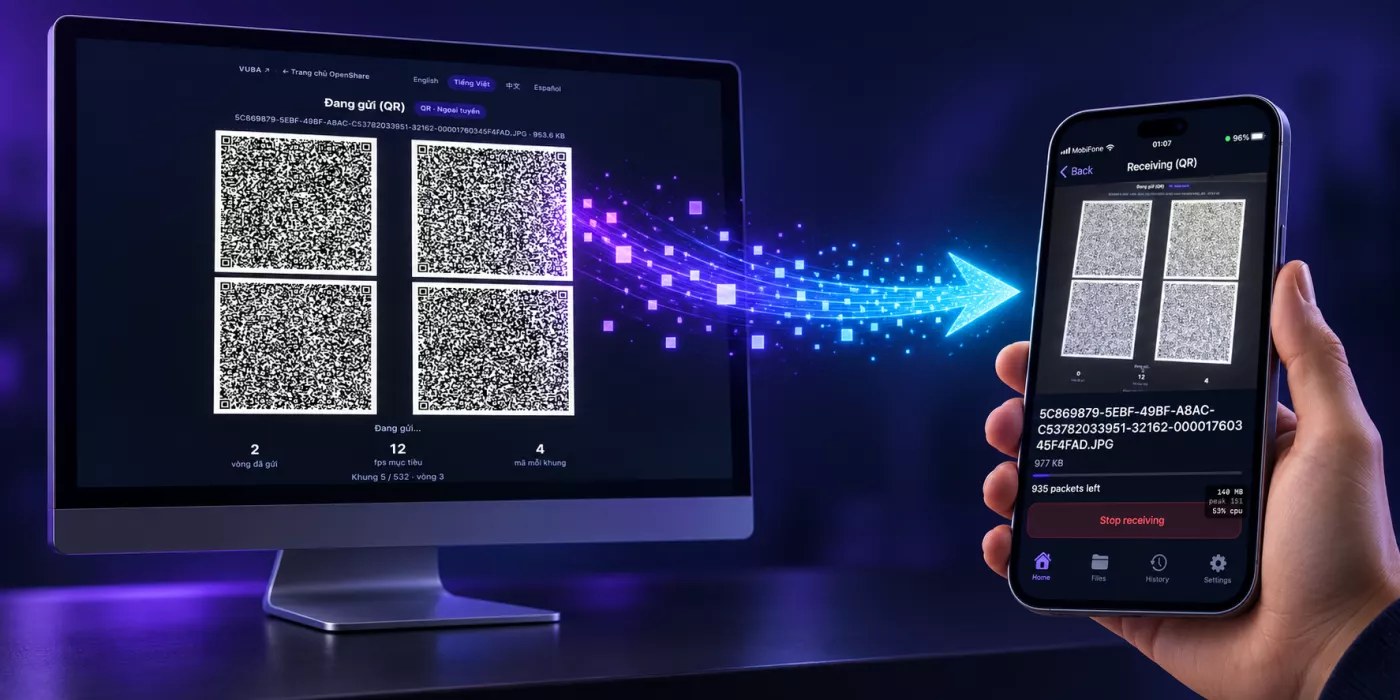
What it does
- Nearby Wi-FiScan once to send a file up to 1 GB at high speed between two Apple devices running OpenShare. No router needed.
- WebRTC · Same LANOn an iPhone on the same LAN, open OpenShare, choose Receive → Camera, then scan once.
- Sends by cameraA file becomes a stream of QR codes on one screen and a camera on the other device reads them back — four codes at a time, twelve times a second.
- Sends by soundThe same file, played as sound in a band above most of what a room contains. Slower, and it needs no line of sight at all.
- Your files are never uploadedNo accounts, advertising identifiers or analytics SDKs. File contents never enter crash reports.
- Takes any fileNearby Wi-Fi / WebRTC ≤ 1 GB · QR / Bu / Audio (Sound) ≤ 5 MiB
- SHA-256Every file arrives with its SHA-256 checked. A file that does not match is never shown as a file — there is no "probably fine".
- Keeps what it receivedReceived files live in the app, with a history of what went where. Delete one and it is gone from the device.
How it works
- Pick the fileOn the phone, or on a computer at send.vuba.one. Nothing is uploaded — the file is read and split where it already is.
- Point or listenFor Wi-Fi transfers, scan the code once. For animated QR or Bu, keep the camera pointed at the sender’s screen. For sound, use the microphone.
- It checks itselfThe receiving phone rebuilds the file, verifies the checksum, and only then shows it to you.
Privacy, briefly
For WebRTC, this site briefly stores connection details. The file travels directly between the two devices on the same network. Read the full policy →