Split · Encode · Nab · Decode
Send a file with no connection at all
No Wi-Fi. No Bluetooth. No cable, no server, no account. OpenShare turns a file into light on one screen or sound from one speaker, and the phone across the table reads it back.
Download on theApp Store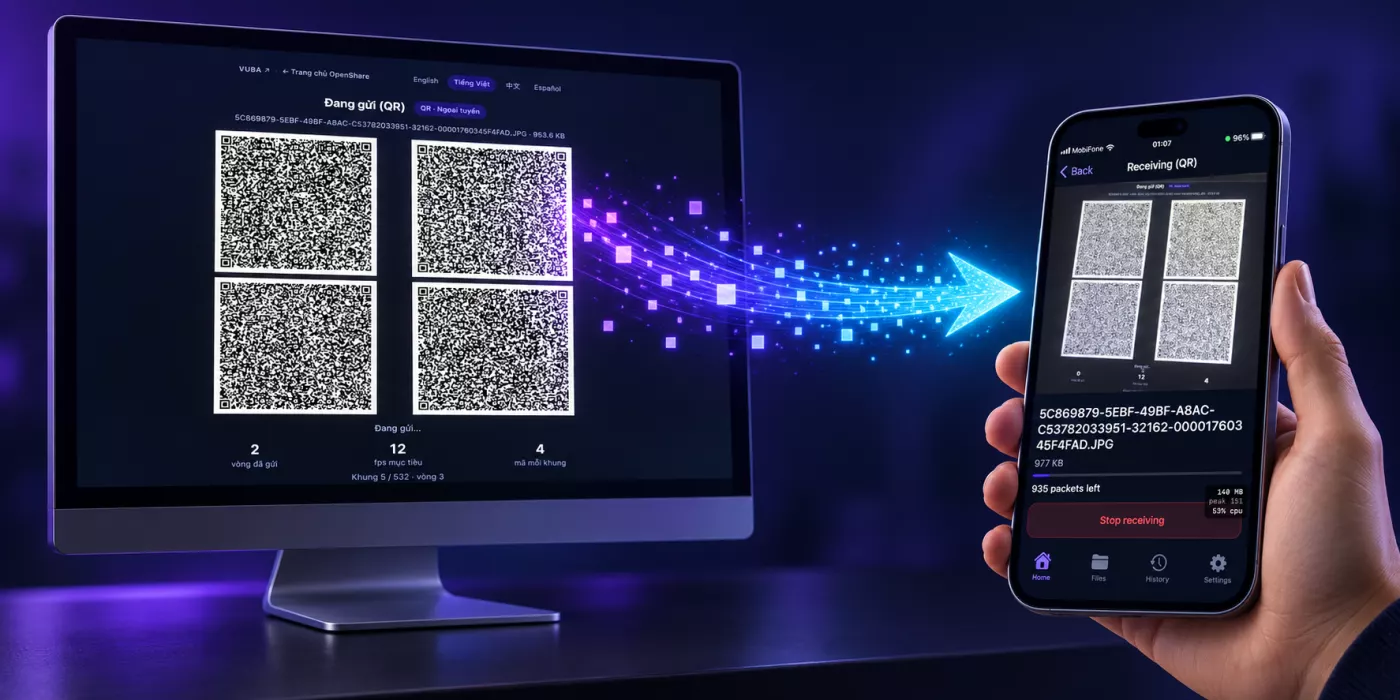
What it does
- Sends by cameraA file becomes a stream of QR codes on one screen and a camera on the other device reads them back — four codes at a time, twelve times a second.
- Sends by soundThe same file, played as sound in a band above most of what a room contains. Slower, and it needs no line of sight at all.
- Uses no networkNot "encrypted in transit" — there is no transit. No Wi-Fi, no Bluetooth, no pairing, no cable. Airplane mode changes nothing.
- Has nothing to leakNo account, no sign-in, no telemetry, no server that ever holds your file. What the app cannot send anywhere, nobody can ask it for.
- Takes any filePhotos, PDFs, documents, archives, a contact, or whatever is on your clipboard. Up to 5 MB, of any type at all.
- Refuses to be nearly rightEvery file arrives with its SHA-256 checked. A file that does not match is never shown as a file — there is no "probably fine".
- Keeps what it receivedReceived files live in the app, with a history of what went where. Delete one and it is gone from the device.
How it works
- Pick the fileOn the phone, or on a computer at send.vuba.one. Nothing is uploaded — the file is read and split where it already is.
- Point or listenShow the codes to the other phone's camera, or play the sound near its microphone. Both devices can stay in airplane mode.
- It checks itselfThe receiving phone rebuilds the file, verifies the checksum, and only then shows it to you.
Privacy, briefly
OpenShare collects nothing, sends nothing anywhere, and has no server to send it to. There is no account and no analytics. The camera is used to read codes and the microphone to hear them; neither recording is kept. Read the full policy →